

Built to give "maybe" photos a home.
Decide first, execute later — sort at your own tempo, then delete in one batch.
The stock Photos app gives you only two choices: delete it or keep it. RollCheck lets you sort photos into Keep / Delete / Hold / Albums first, and runs the irreversible operations later, all at once. Less stress, faster cleanup — even for a huge library.
Screenshots of the main screens.
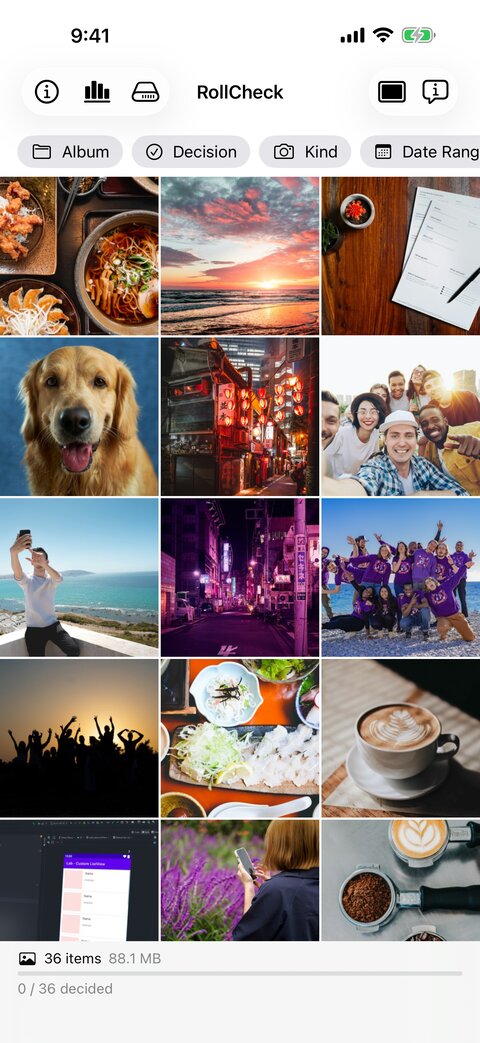
See everything at a glance in the grid
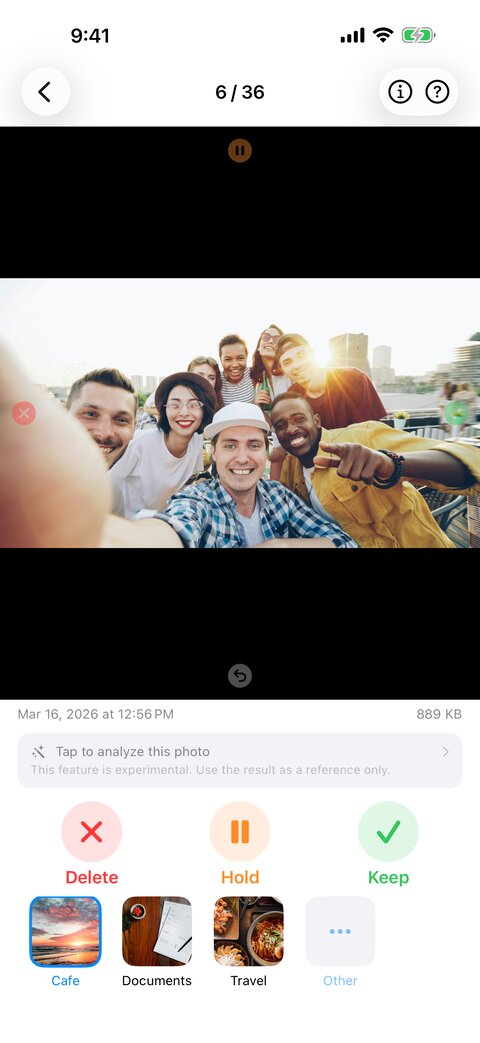
Swipe to decide, one photo at a time
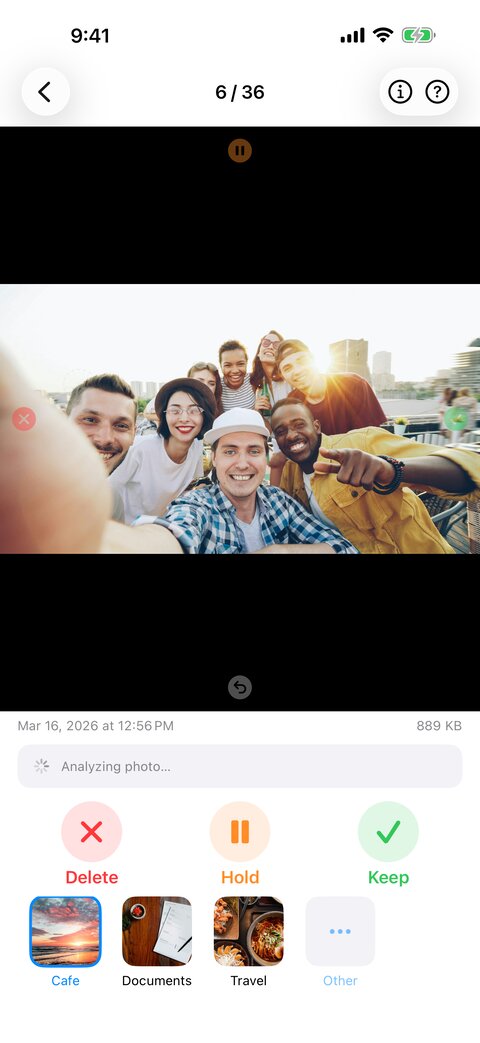
AI helps you decide
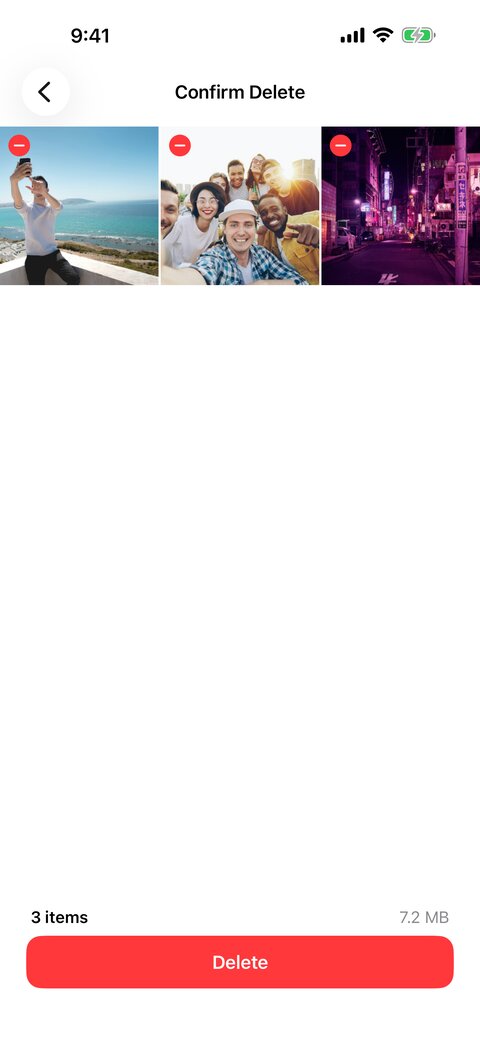
Review the list, then delete in bulk
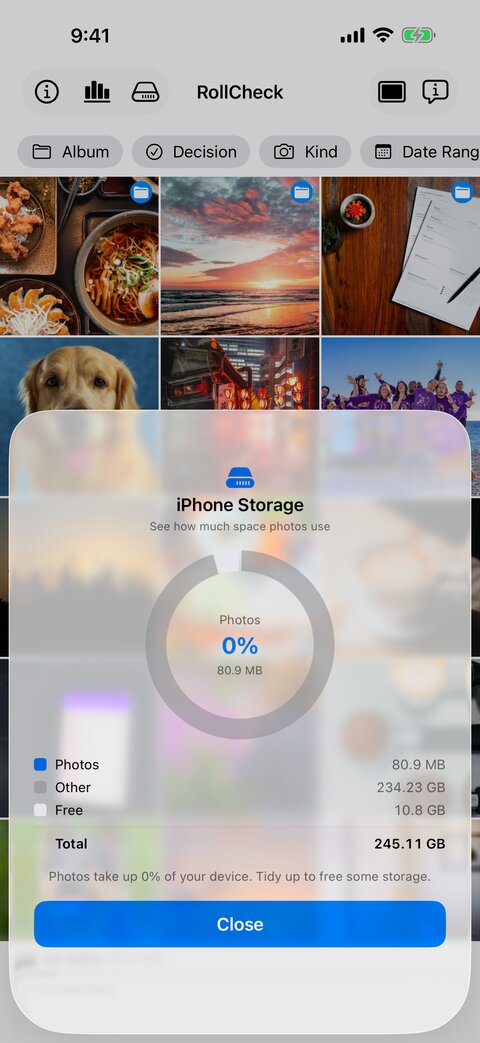
Your storage breakdown at a glance
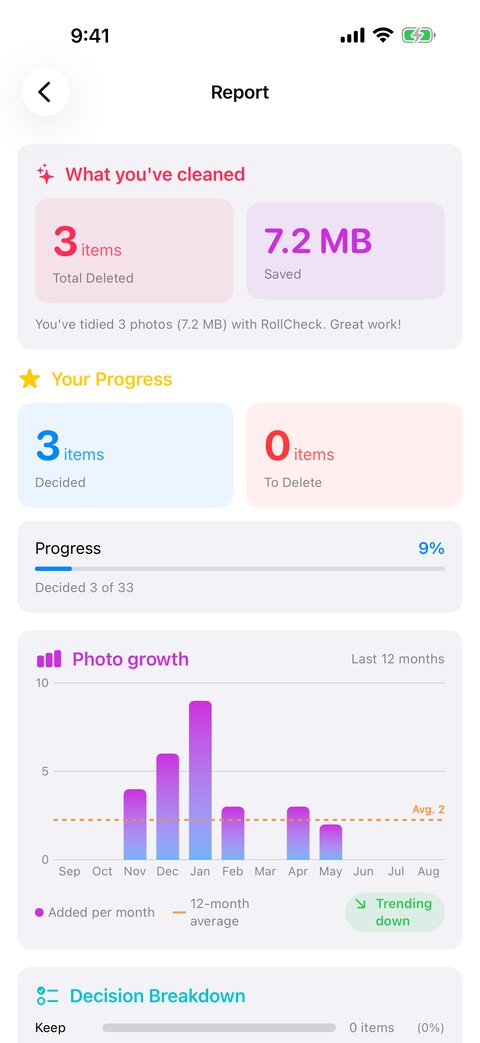
Track your progress with reports
Organize a mountain of photos — safely, easily, quickly.
All processing, including photo analysis, happens on-device. Nothing is uploaded, no tracking, no ads, no account required.
Irreversible operations like deletion run later, all in one batch. Focus on reviewing without the pressure.
Keep / Delete / Hold / Album labels give even your "maybe" photos a place to belong.
Right = keep, left = delete, up = hold, down = go back. Sort a batch in rhythm. A browse mode is there when you want to take your time.
Check the deletion list before executing. Per-photo exclusion minimizes the risk of deleting the wrong one.
Deletion goes only through the Photos framework. The app has no direct deletion path and always goes through the system confirmation.
If you use the sister app BackupCheck, the deletion confirmation warns you about photos that are not backed up yet, and "Exclude unbacked-up photos" removes them from the list in one tap. The check can be turned on or off in Settings, and RollCheck works as before without BackupCheck.
Total count, total size, reclaimable space, and review progress — always visible. "This many to go, this much freed" keeps you going.
🟢 Keep / 🔴 Delete / 🟠 Hold / 🔵 Filed — visible right in the grid.
Filter by album, date range, media type, and decision state. Review one shooting scene at a time.
Sort photos into albums while you review. Long-press to pin your frequent albums to the front. One continuous flow from decision to organization.
Pinch to freely change the number of columns. Optional overlays for date, size, and more. Prefetching keeps scrolling smooth.
Shows playback duration. Videos are handled right alongside photos, just like the stock library.
Date, format, resolution (aspect ratio), color space, camera info, and EXIF (ISO, shutter, f-number) — plus a map of where the photo was taken. Tap to open Maps (can be turned off in settings).
On-device AI suggests keep / delete / hold based on subjects, an aesthetics score, screenshot detection, and more. Turn on auto-analysis to evaluate each photo as it appears.
A pie chart of photos / other / free space across your iPhone's total capacity. Shows automatically once a day, or on demand from the toolbar.
Total deletions, space saved, the past 12 months of library growth, and your decision breakdown — all in charts. See your cleanup actually progressing.
A local notification asks "time to tidy up your photos?" one month out, and reschedules itself each time you open the app.
The UI supports English and Japanese. Works with limited photo library access (only the photos you select).