
Your iPhone photos, on a disk you own.
HEIC, Live Photos and RAW copied untouched to a USB-C SSD or your home NAS. Plug in, tap once.
Past 20,000 photos, both the iPhone and iCloud were full. What I wanted was an app that moves photos to an SSD or NAS in their original format without opening a computer. BackupCheck copies everything with EXIF, capture date, GPS, Live Photo pairs, RAW and unedited originals intact, and after the first run transfers only what is new. Each written file is checked by size and SHA-256 before it counts as done, so "I think it copied" never happens. The destination is plain files in year/month folders with a JSON of capture info next to each photo, so even without BackupCheck you can open them on a Mac or Windows PC.
Screenshots of the main screens.
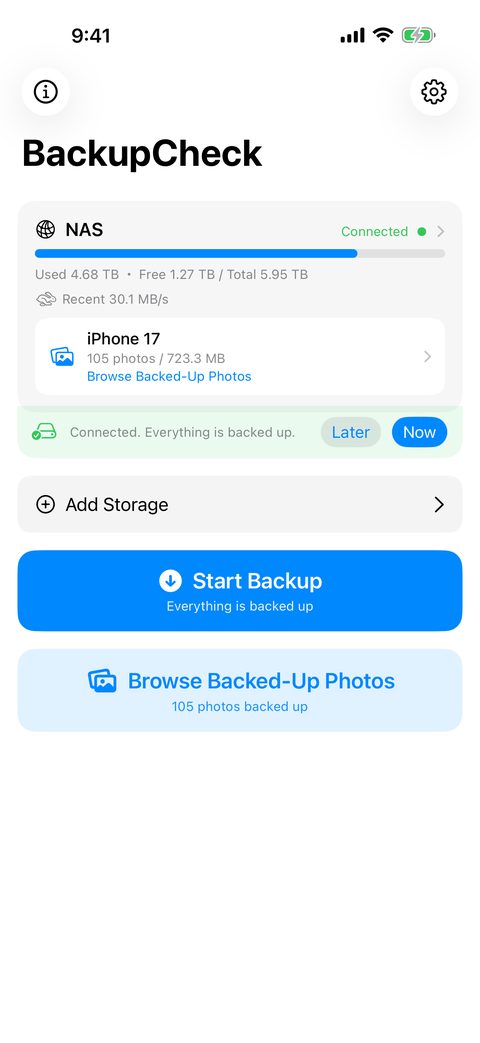
Connected storage, capacity and pending photos at a glance
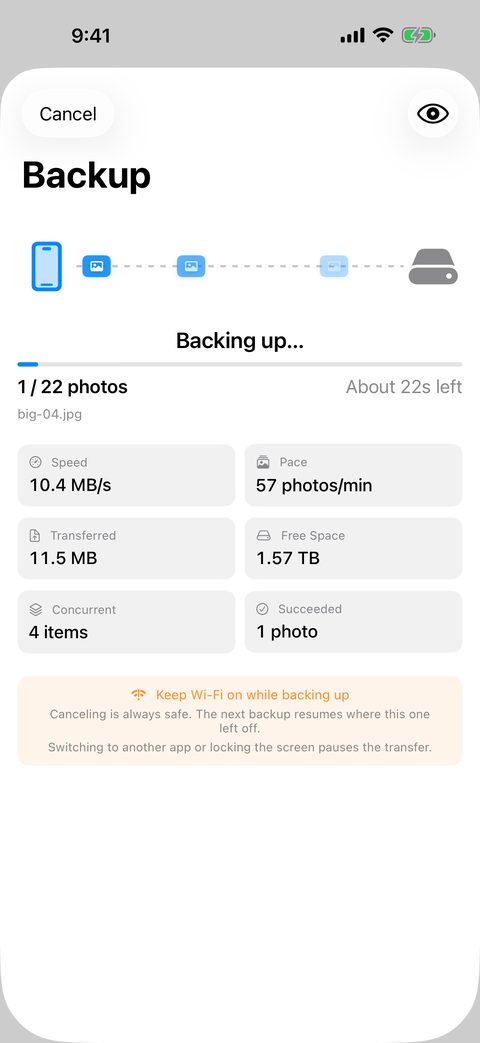
Speed, time left and concurrent transfers while it runs
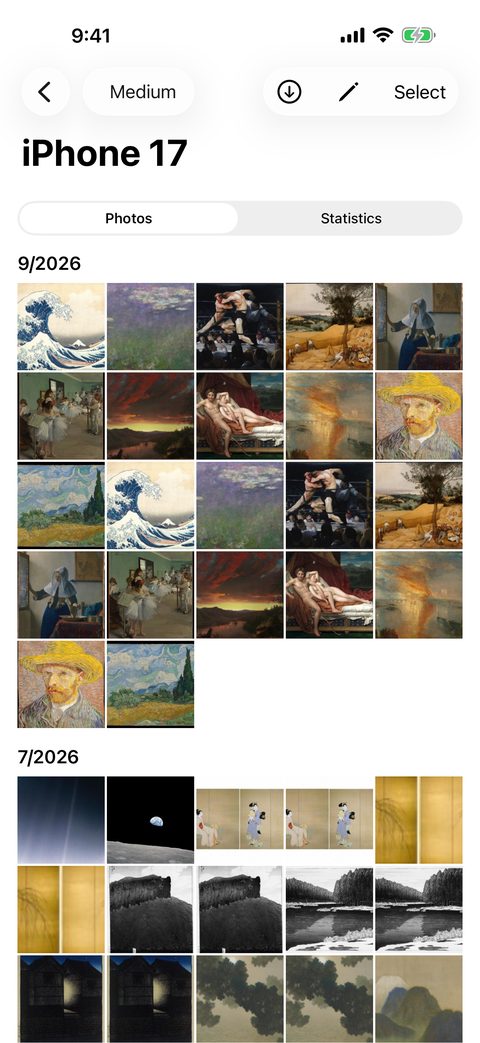
Browse the storage like the Photos app
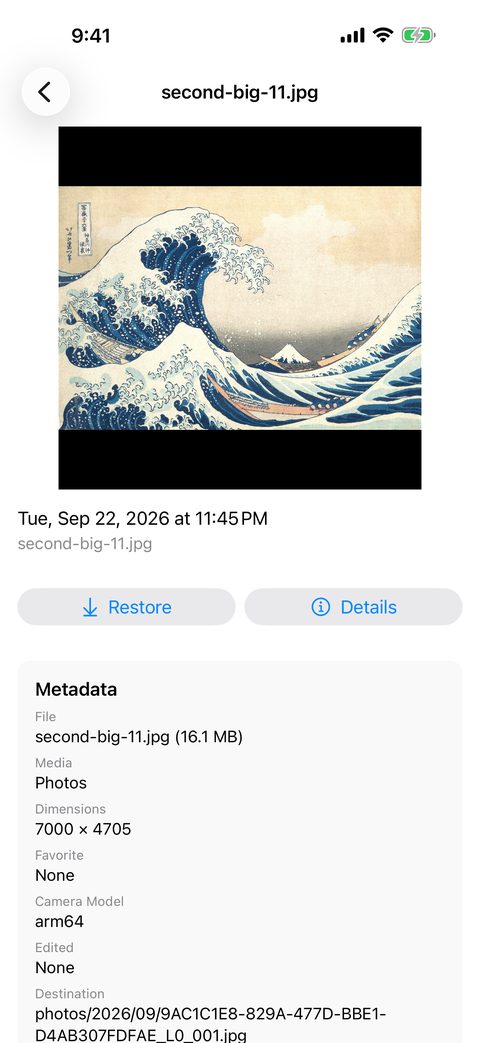
Check capture date, camera and path, then restore in one tap
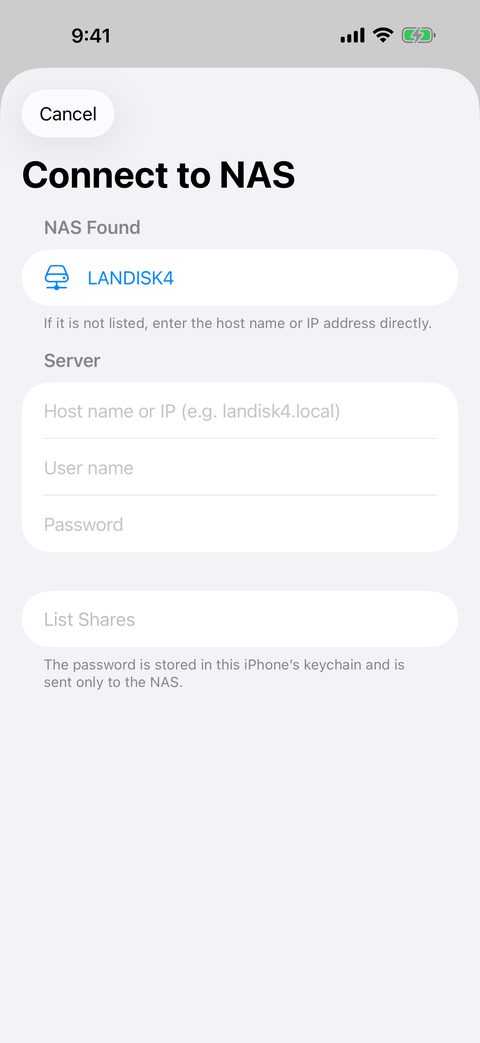
Finds the NAS on your Wi-Fi; just pick a shared folder
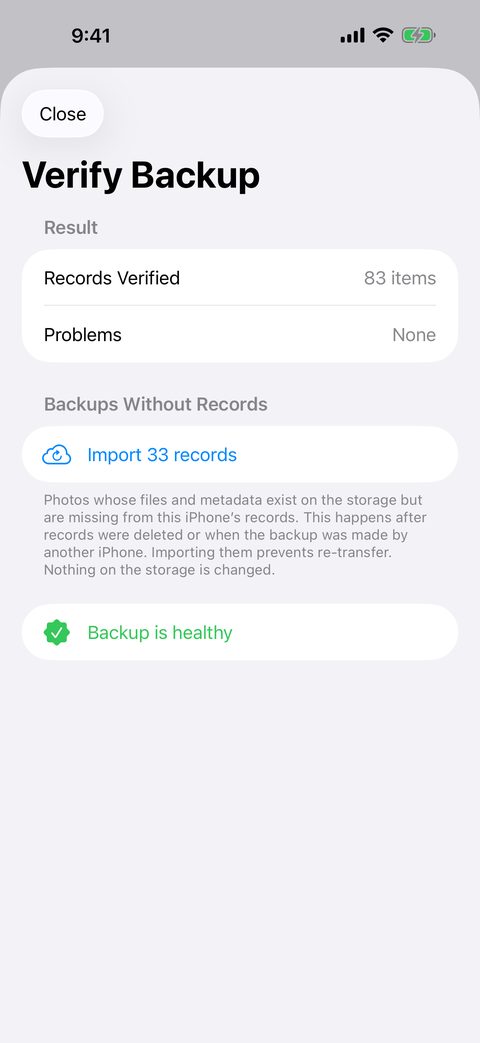
Verify later that the files on the storage are still intact
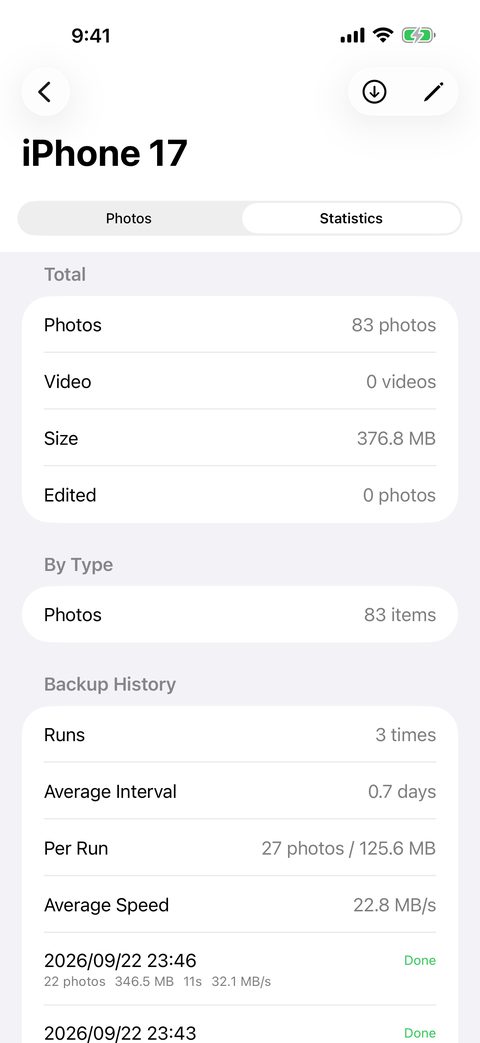
Counts, size, backup history and growth pace
Large photo and video libraries, backed up safely, quickly and faithfully.
Insert a USB-C SSD or connect to a NAS on the same Wi-Fi, then tap "Start Backup". No computer, no cloud plan, no account.
USB-C SSDs, flash drives and SD card readers (APFS / exFAT / FAT32), plus SMB shares on a NAS. The NAS is discovered with Bonjour; pick a shared folder and you are set. The password lives only in the iPhone Keychain.
From the second run on, only items added since last time are copied. Even with tens of thousands of photos, a daily backup takes minutes. Concurrency adapts to the storage speed and the device temperature.
HEIC / HEVC / RAW / Live Photos / unedited originals are copied without conversion. Capture date, location and camera model are kept in a JSON file next to each photo.
The destination is just photos/2026/09/-style year/month folders holding the photo files and their JSON metadata. No proprietary container or database, so Finder and File Explorer open everything as is.
Each written file is compared by size and SHA-256 before it counts as done. "Verify Backup" lets you confirm at any time that the files on the storage are still intact.
Canceling is always safe. If the cable comes out or the Wi-Fi drops, the next run continues from where it stopped. Files are written to a temporary name and swapped in when complete, so no broken file is ever left behind.
One tap from Home opens the photos on the storage in a grid like the iPhone Photos app. Grouped by month, pinch to change density, play videos, and view capture info with a map.
Photos that are gone from the iPhone and exist only on this storage get a badge, with a count at the top of the grid. You always know what is safely offloaded and what lives only here.
Select from the grid and tap "Restore to iPhone" to write photos back to the library. Edited photos come back with "Revert to Original" still available, and a restored photo is never backed up twice.
Keep the same photos on both an SSD and a NAS, or share one drive among the family's iPhones. When you switch phones, the new iPhone takes over the old one's records and continues incremental backups.
Insufficient space is detected before the transfer starts. New transfers are not started on low battery. Picking the iPhone itself or iCloud Drive as a destination by mistake is refused with an explanation.
Free space, recent transfer speed and a warning for slow media. The statistics screen shows the breakdown by type, backup history, monthly growth pace and camera models.
Local notifications when a backup completes and when you have not run one for a while. The app icon badge shows how long it has been.
BackupCheck focuses on offloading and preserving; choosing and deleting photos is the job of its companion app RollCheck. Before deleting, RollCheck checks BackupCheck's records for photos that are not backed up yet.
The UI is available in English and Japanese. No photos or personal data are ever sent to the developer, and there are no ads, tracking or analytics.